
Description
 logo xili-dictionary
xili-dictionary is a plugin (compatible with xili-language) to build a multilingual dictionary saved in the taxonomy tables of WordPress. With this dictionary, collecting terms from categories (title, description), from current theme – international terms with _e(), __() or _n() functions – , it is possible to create and update .mo file in the current theme folder. xili-dictionary is full compatible with xili-language plugin and xili-tidy-tags plugin.
New !
1.2.0
compatibility with child theme and xili-language >=1.8.1
better folder detection
1.1.1
fixes some issues (cache update, empty .mo), add some UI features and keep new features from xili-language 1.6.0
add features in differential saving (theme’s mo and other languages saving in each site of multisite mode).
used currently in this demo website.
1.0.5
* introduces some improvements specifically for WPMU and management of .mo of theme shared by each site and particular translated file of one site of wpmu.
* now possible to import .pot file if the name of this file is the name of the theme tex domain. (twentyten.pot in twentyten default theme)
* minor modifications for WP 3.0 and WPMU (for tests before future and specific improvements for wpmu 3.0)
* fixes some directories issues in (rare) xamp servers and in theme’s terms import.
* Create .po with empty translations. Helpful if you send the .po file to a translator that uses app like poedit.
1.0.2
Now also can be used for international themes (with localization for a monolingual blog or cms) when you want to add or edit a current translation file. See this post.
NEW 1.0.0
The release keeps most of the features and functions of previous 0.9.9 but only works on WP >= 2.8 because uses the powerful POMO libraries now included by WordPress.
and includes now :
– a better admin UI,
– manage plural original and translation (msgid_plural, msgstr[x],…),
– more possible html tags in msg
Some features (importing themes words to fill msgid list) are not totally stable (if coding source is crazy – too spacing !)…
Installation
- Upload the folder containing xili-dictionary.php and language files to the /wp-content/plugins/ directory,
- Verify that your theme is international compatible – translatable terms like _e(‘the term’,’mytheme’) and no text hardcoded –
- active and visit the dictionary page in tools menu
F.A.Q.
Is the term msgid may contain words enriched by html tags ?
like <em> or <strong> |
Yes, since version 0.9.7.
a <strong>good</strong> word |
can be translated by
un mot <strong>exact</strong> |
Where can I see websites using this plugin ?
dev.xiligroup.com here and www.xiliphone.mobi here also usable with mobile as iPhone.
What is the difference with msgid and msgtr in .po file ?
The msgid line is equal to the term or sentence hardcoded in the theme functions like _e() or __(). msgstr is the translation in the target language : by instance fr_FR.po for a french dictionary. (the compiled file is fr_FR.mo saved in the theme folder. The root language is in WordPress currently en_US, but with xili-dictionary, it is possible to create a en_US.mo containing the only few terms that you want to adapt.
Is xili-dictionary usable without xili-language to edit .po or .mo file ?
With certain conditions, the language must in the default list and if the language files are not in the root of the current theme, you must add this line in functions.php file of this theme (normally set before xili-language is installed) :
define('THEME_LANGS_FOLDER','/nameoflangfolder'); // in Fusion: /lang |
What about WP 2.9 ?
Today works with .mo or .po with singular twin msgid msgstr couple of lines or plural msgid/msgstr and themes with functions like _e(), __() or _n() for localization (‘_n()’ soon in importing from theme).
Screenshots
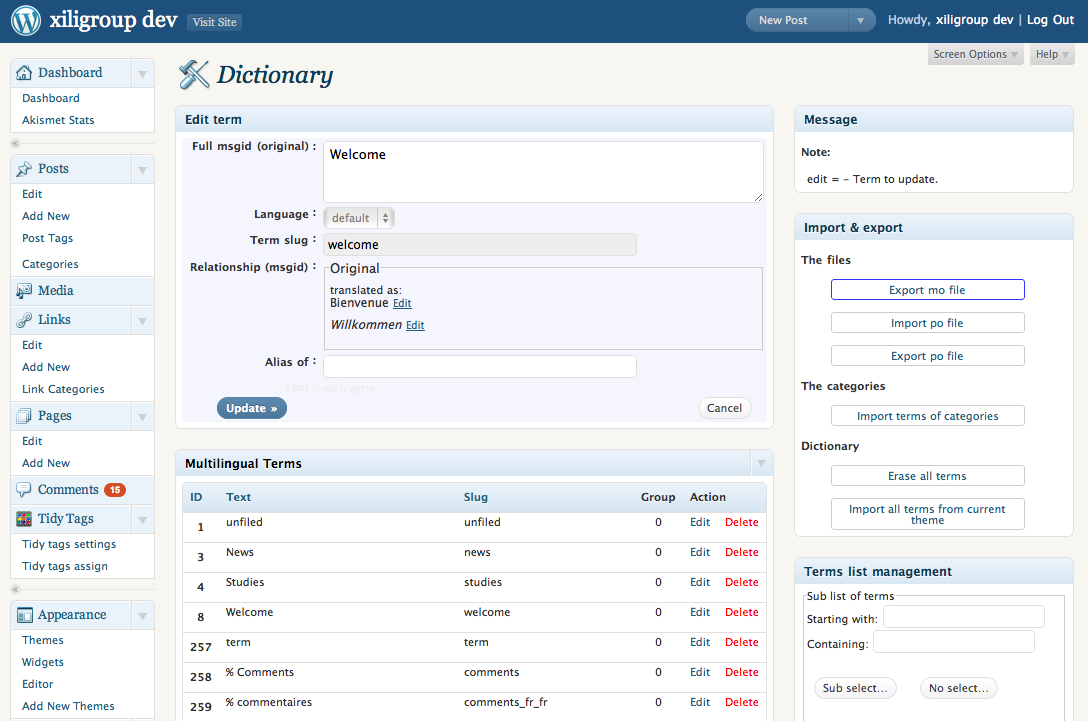 xili-dictionary: admin settings UI
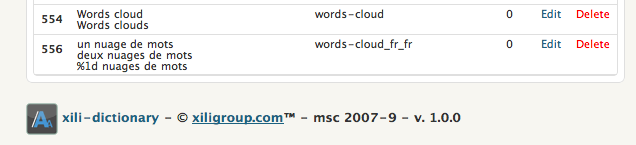 xili-dictionnary manages plural terms
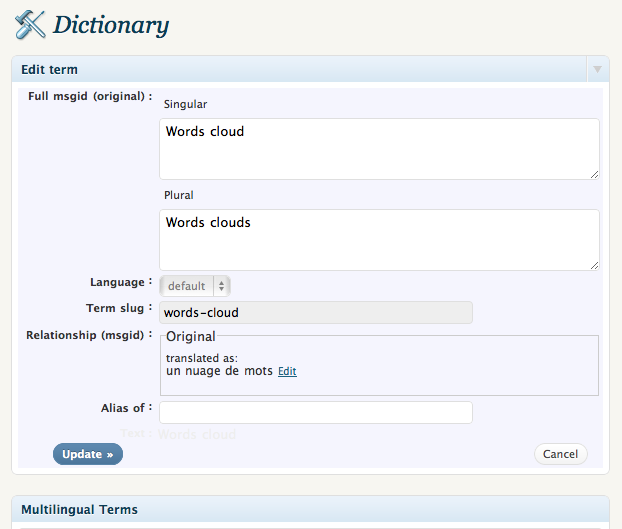 Plural term editing
 Translation with one or more plural
More infos
They talk about
Here some links where users talk about xili-dictionary plugin :
in WordPress Forum
A topic is open on dev.xiligroup forum –
Download
WordPress plugins repository :
http://wordpress.org/extend/plugins/xili-dictionary/download/